
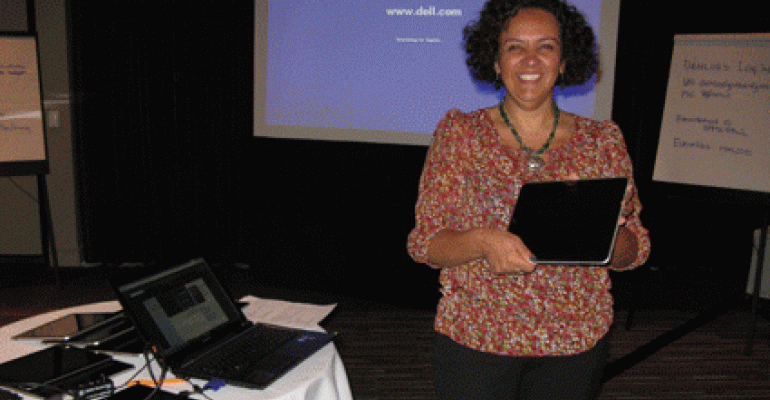
When it comes to integrating the iPad into your life, it’s all about learning by doing. Attendees at KRIAB 2012, the 14th annual Krisam advisory board meeting for the insurance and financial industry, had the chance to do just that during a session June 2 at the Sanctuary on Camelback Mountain Resort & Spa in Phoenix, Ariz.
READ MORE about the trends and issues discussed at KRIAB 2012 and the Sanctuary on Camelback Mountain Resort
This year, Krisam Group added a hands-on meetings technology session to the agenda, providing iPads for attendees to try out several meeting planning apps. The session was presented by Dahlia El Gazzar of Dahlia+, who calls herself “Brand Visionnaire + Idea Igniteur + Netweaver” and who recently co-produced the Meetings Tech Expo in Washington, D.C.
Patiently fielding requests for help and clarification, El Gazzar guided the group through the basics. (She got a major assist from Dylan Andersen, director of national accounts for Bacara Resort & Spa in Santa Barbara, who not only brought along iPads for attendees to borrow for the session, but contributed his own expertise as an iPad power user.) The iPads were set up with many apps ready for test drives, some of them in familiar territory, such as the LinkedIn app. Others were new to many, including:
1. Hipmunk
Use this app to easily research and compare flights and hotels then share your chosen or proposed itinerary with others. It’s not a booking tool, but it links you directly to an airline’s Web site.
Free
2. Join.me
A screen-sharing app you can use on the fly. Go to join.me (no “www” or “.com” required) and follow the simple instructions, then you and up to 250 colleagues can be looking at the same screen. Take advantage of other features like Internet calling and chat, and send files on your desktop, iPad, iPhone, or Android.
Free; upgraded version available
3. Dropbox
Think of it as a digital filing cabinet that you and your team can access with any smartphone, tablet, laptop, or desktop no matter where you are. When documents are updated somewhere, they are updated everywhere. You can even tag some docs as “favorites,” in which case they reside with your devices rather than in the cloud, so you are able to access them even when you don’t have an Internet connection. (They’ll be updated the next time you do connect.) “Say goodbye to your six-inch event binder!” El Gazzar says.
Free; upgraded version and team version available.
4. TripIt
Owned by Concur, this app consolidates all itineraries and confirmations into one itinerary that can sync with your calendar and easily be shared with others.
Free; TripIt Pro adds travel alerts
5. Evernote
Create digital “notebooks” in the cloud, and you and your team can fill those notebooks with text, photos, even recorded messages. Could be a great way to send a site-inspection summary and start your annual incentive program brainstorming.
Free
6. Super Planner
Event-planning calculators at your fingertips. For example, plug in your number of attendees and type of banquet service, and get the number of servers needed. Calculate venue capacity for 15 different layouts (including options for “comfy” and “snug” seating). Or enter the number of people and desired seating configuration and it tells you how big a room you need. On the F&B side, easily convert from “plus plus” pricing to non-inclusive pricing, so you can compare bids accurately. You’ll also find audiovisual and staging help—even a dance-floor calculator.
$9.99
7. EventMethod
This event management tool offers a cloud-based platform for event planning, from building your agenda, to scheduling your speakers, to giving sponsors visibility.
A free version with limited features is available; otherwise, it’s a monthly or yearly license with optional add-ons
8. hubb
Created by meeting planners, hubb is a cloud-based suite that includes attendee communities and the ability to create agendas, schedule meetings, and evaluate sessions from both Web-based and mobile platforms. On the back end, hubb offers registration and payment processing, streamlined workflow, Web updates through a centralized speaker and track management system, and customizable “one-touch” reporting.
Contact the company via its Web site for pricing information.
9. Social Tables
A fun and easy tool for managing seating charts. You can choose to involve attendees in the process—or not!
This tool is free now, but eventually will come with a price tag, according to developers. Anyone with an account will be “grandfathered” as a free user, so, if it sounds promising to you, sign up soon.
Mobile Meeting Apps
In addition to planning and travel tools, mobile apps are also making their mark as community builders and on-site guides. However, this gets us out of the “free” tools arena and into projects that can cost thousands of dollars. So the first question, of course, is whether you need a mobile meeting app.
For association meetings, these apps can get a community interacting before they get on site so they have a jump on developing relationships and networking. For speakers, mobile apps can help them tailor their presentations to cover specific questions from attendees—provided, that is, that attendees download and use the app.
For incentive conference attendees, particularly those who may see each other year after year, the pre-trip community-building may be less compelling. And in that case, building a meeting Web site that includes session information, speaker bios, activity details, and other needed on-site information could be enough. Just be sure it’s optimized for viewing on smartphones and tablets.
Another alternative to a full-blown mobile meeting app is adding a closed environment for discussion, such as Pathable’s online community and social network, to your Web site. Think of it as a private LinkedIn group. Pathable becomes part of your event Web site and integrates with your online registration tool. Pricing is based on the number of attendees and other factors.
Or, for a basic site that you create yourself, check out the OotoWeb mobile Web site builder. This self-service mobile Web site allows you to drag and drop all your conference information, choose who sees what, and broadcast updates or alerts to attendees’ smartphones as needed. OotoWeb charges a monthly fee based on the number of attendees.
But if you DO think a mobile meeting app could be right for you, check out Bizzabo. Because it’s in beta, you can create a basic meeting app for free, which will allow you to gauge attendee interest and get a feel for how an app might enhance your programs.
READ MORE: See our articles:


